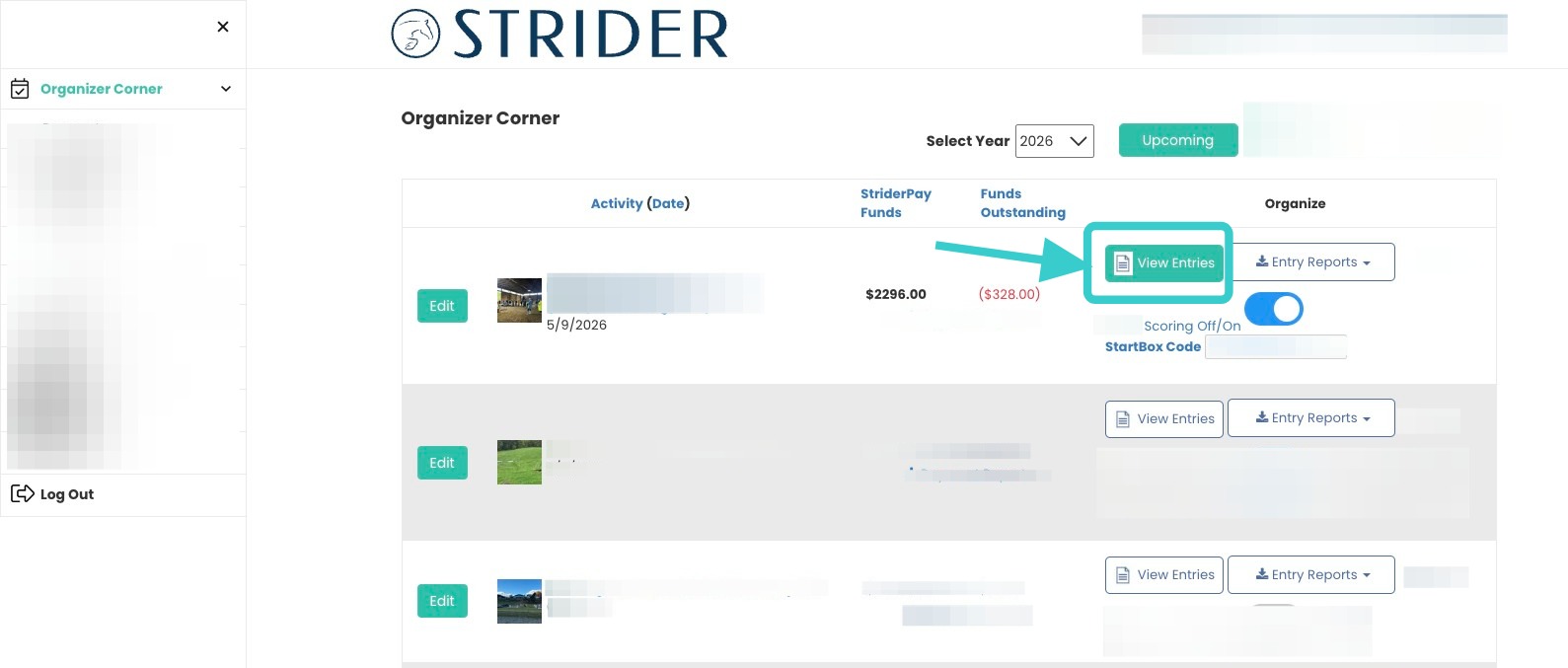
How to Mark Entries Complete in STRIDER, and have them display in StartBox Online Scoring
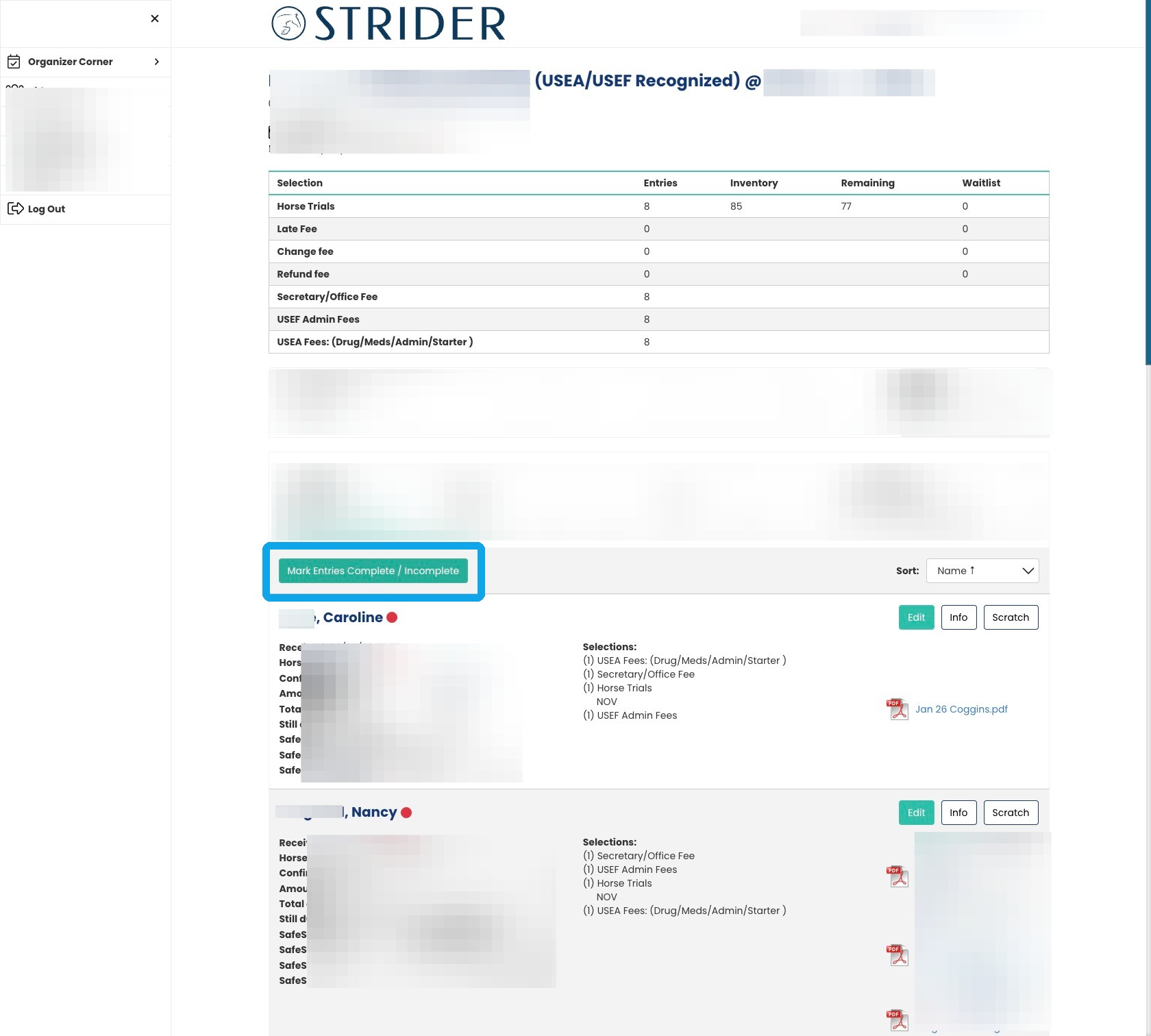
3. Click “Mark Entries Complete / Incomplete” button.
You’ll find it just above the first rider’s name.
Entries with a red dot are considered “Incomplete”.
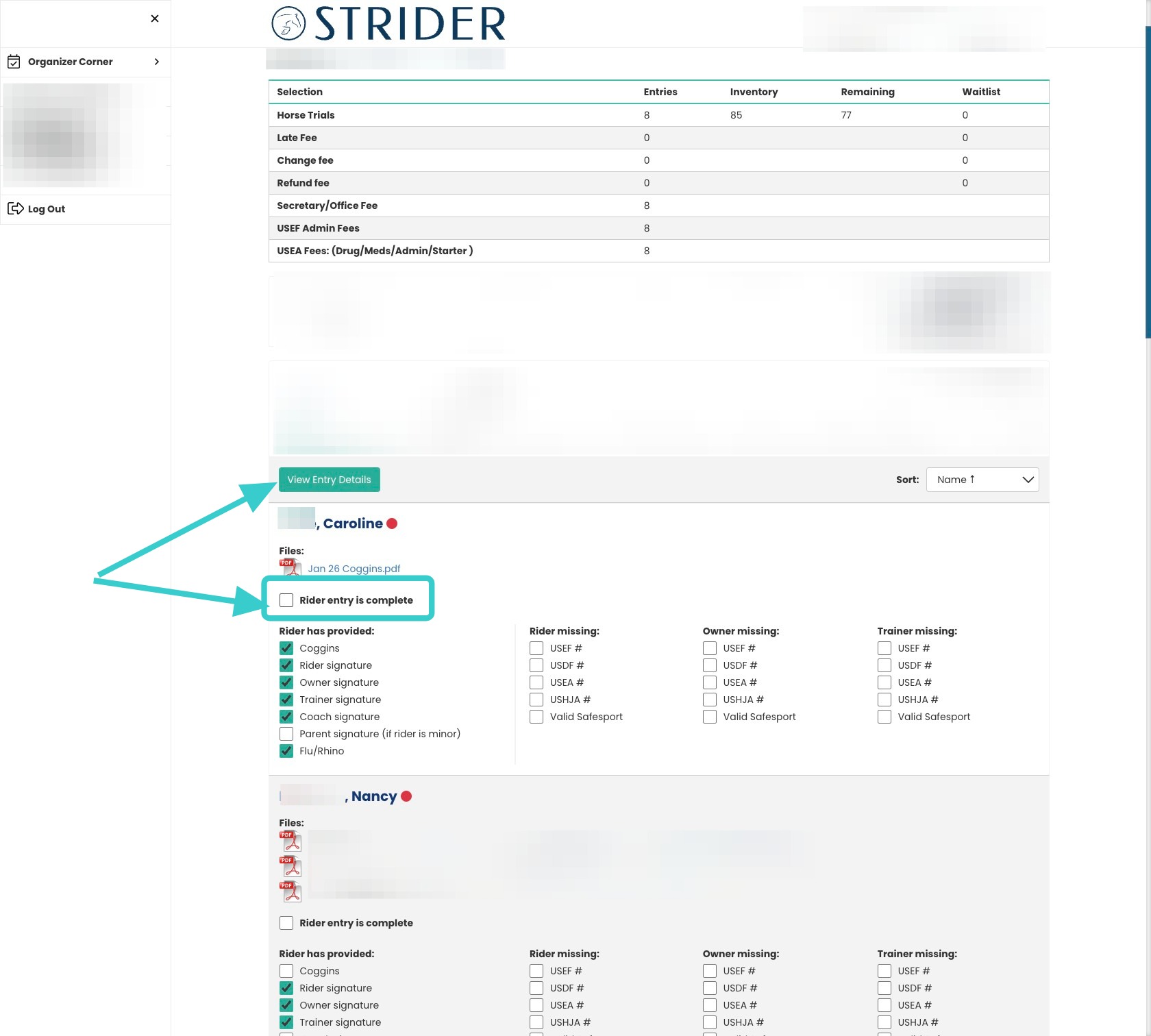
4. Have everything you need?
Click the checkbox next to “Rider entry is complete“.
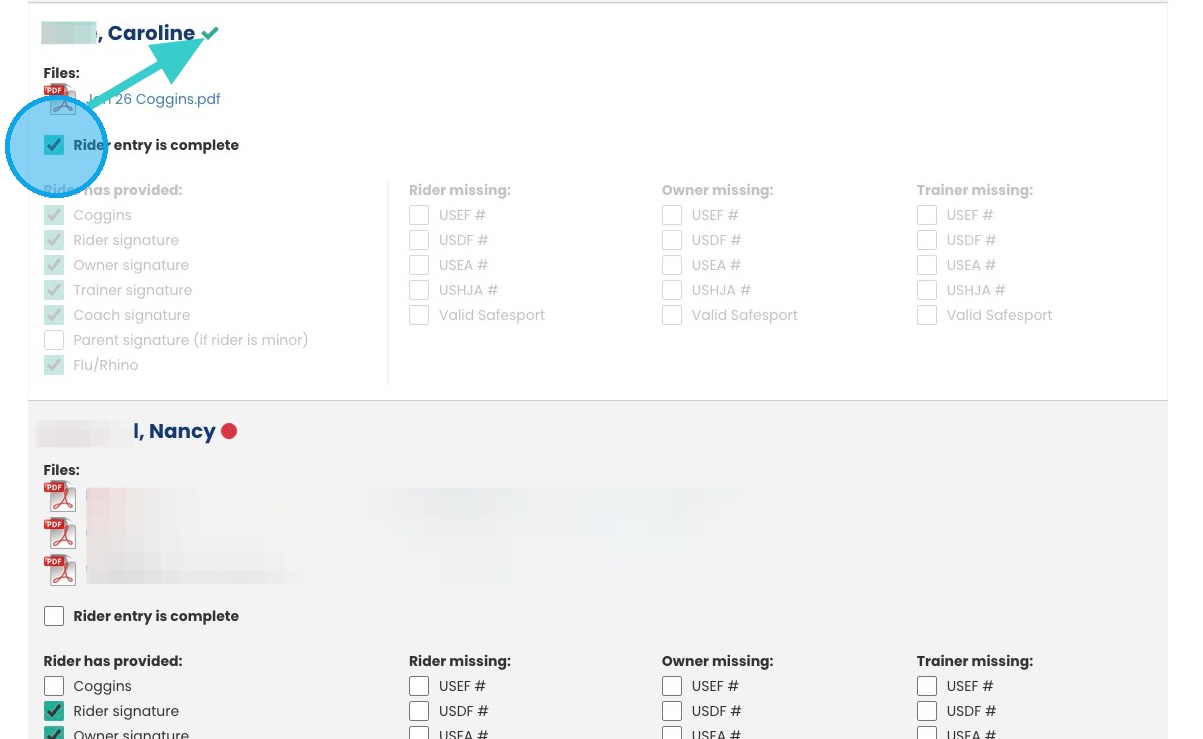
5. You will see a checkmark appear next to their name. (Note: You must reimport entries to StartBox for changes to appear. The update will not appear instantaneously.
Contact StartBox tech support with any import questions, they are happy to help!)