

How to Cancel an Event If you’ve decided not to hold an event, you can cancel it via your Organizer Dashboard. Log into your Organizer Dashboard and Click <Cancel Event> Cancellation will do two things:1.) It will remove the posted activity from the calendar. If you accidentally posted duplicates, this is how you remove one. Read More
Category: Organizer Guide
How Do I Edit A Posted Activity?
🔹 How to Edit Your Activity 1️⃣ Go to Your Organizer Corner – Locate the event you want to edit and click the ✍️ Edit icon next to it.2️⃣ Make Your Changes – Click inside each section of the form to update details as needed.3️⃣ Save & Publish – Scroll to the bottom and click Read More

Can I Preview My Announcement Before It Goes Live?
Can I Preview My Activity Draft? At this time, we don’t offer a direct preview feature before you publish. However, you can get a great sense of what your activity will look like to interested riders by reviewing other shows and clinics that are already live on the platform. There are hundreds- we’re sure you’ll Read More
How Do I Cancel or Change A Registration?
Mange Your Entry 24/7 ProTip: Review the Organizer’s posted policies- there are clearly noted on the activity page. Fees may apply to entry changes, refunds may not be offered, and cancellation does not relieve you of any payment obligations. Refunds are handled by the Activity Organizer, not STRIDER. STRIDER does not hold funds or process Read More
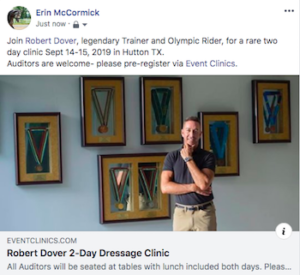
How Do I Invite Riders To Enter My Show or Clinic?
How to Effectively Invite Riders and Boost Entries Using Facebook and Email As an organizer, one of your key tasks is to encourage riders to sign up for your event. To do this, you need to actively promote your event through the right channels—specifically Facebook and email. Here’s a simple guide to help you invite Read More