

How to Add Documents to a Rider’s Entry Sometimes a rider forgets to attach their Coggins or facility release to their entry. With the Strider Platform, that’s not a big deal. The quickest way to add documents to any rider entry is through the Info popup feature. Go to your Organizer Dashboard for the activity Read More
Resource Center
How Do I View Submitted Documents
How to View Documents Attached to Entry “When I get a email notification that someone registered, it includes a html link to the documents the rider submitted. But when I click the link, I can’t see the document. Why??” Protect Riders Personal Information For data security, you must be logged into your Strider Member account Read More
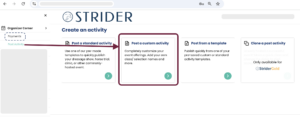
Posting Your First Activity On STRIDER
Getting started with Strider is easy. Whether you’re looking for complete control or a quicker setup, we’ve got you covered. With Strider’s convenient & proven entry platform, you’ll have everything you need at your fingertips, saving you time and hassle. Ready to post your first activity? Let’s get started! Read More
How to Create a Custom STRIDER Calendar Link For Marketing
How to Create a Custom STRIDER Calendar Link Some of the best features of the Strider calendar is that you can select just YOUR posted activities to show to a rider. This trick below is one of the fastest ways to quickly widen your business visibility in minutes. Bonus…it only take about 30 second to implement! Read More
Write a Great Horse Show Description to Boost Entries
Sample Template for Horse Shows To write an effective and engaging description for your horse show or clinic, it’s essential to craft a message that captures your audience’s attention and provides all the necessary details to encourage participation. Here’s a guide to help you create a standout announcement for maximum business impact! Why It Matters: Read More