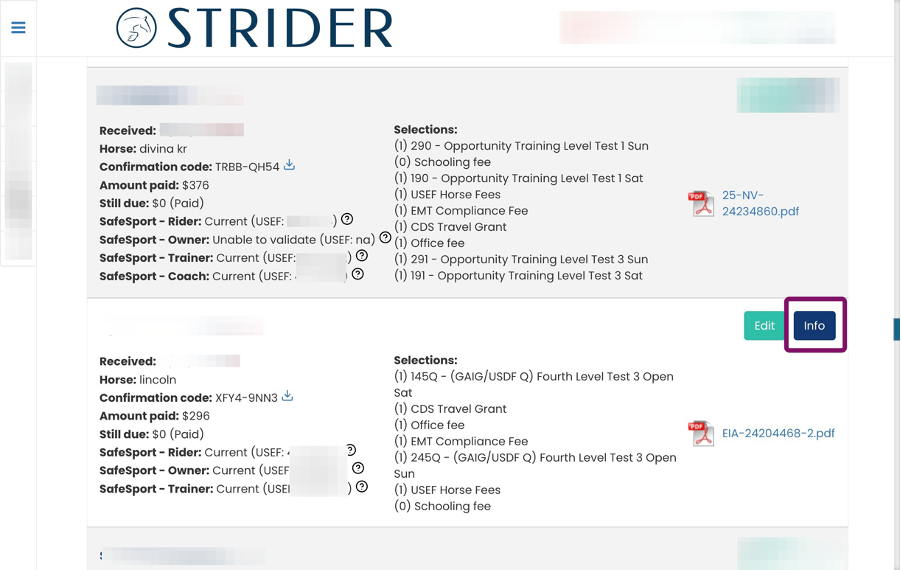
Sometimes a rider forgets to attach their Coggins or facility release to their entry. With the Strider Platform, that’s not a big deal.
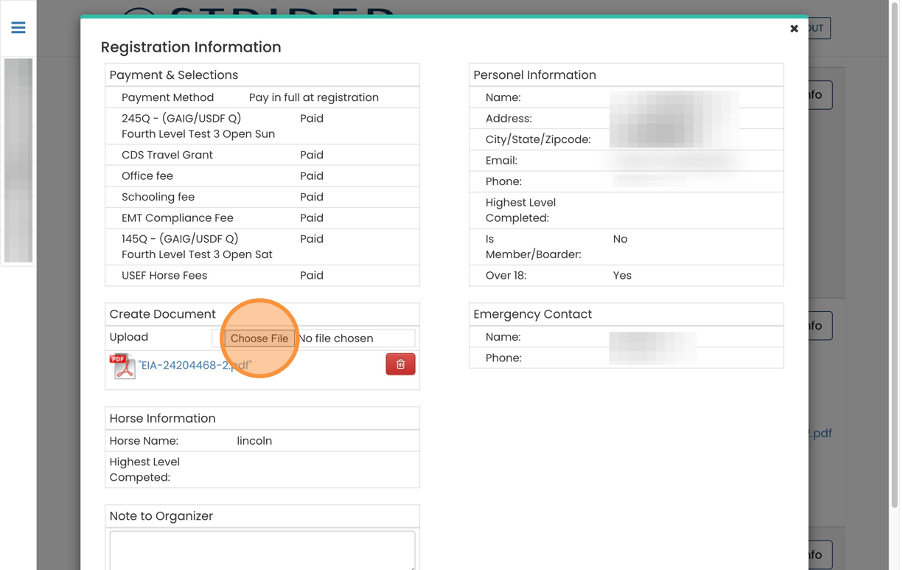
The quickest way to add documents to any rider entry is through the Info popup feature.
Once saved, upload, close the popup, refresh your Organizer Dashboard, and the documents will be ready and visible.