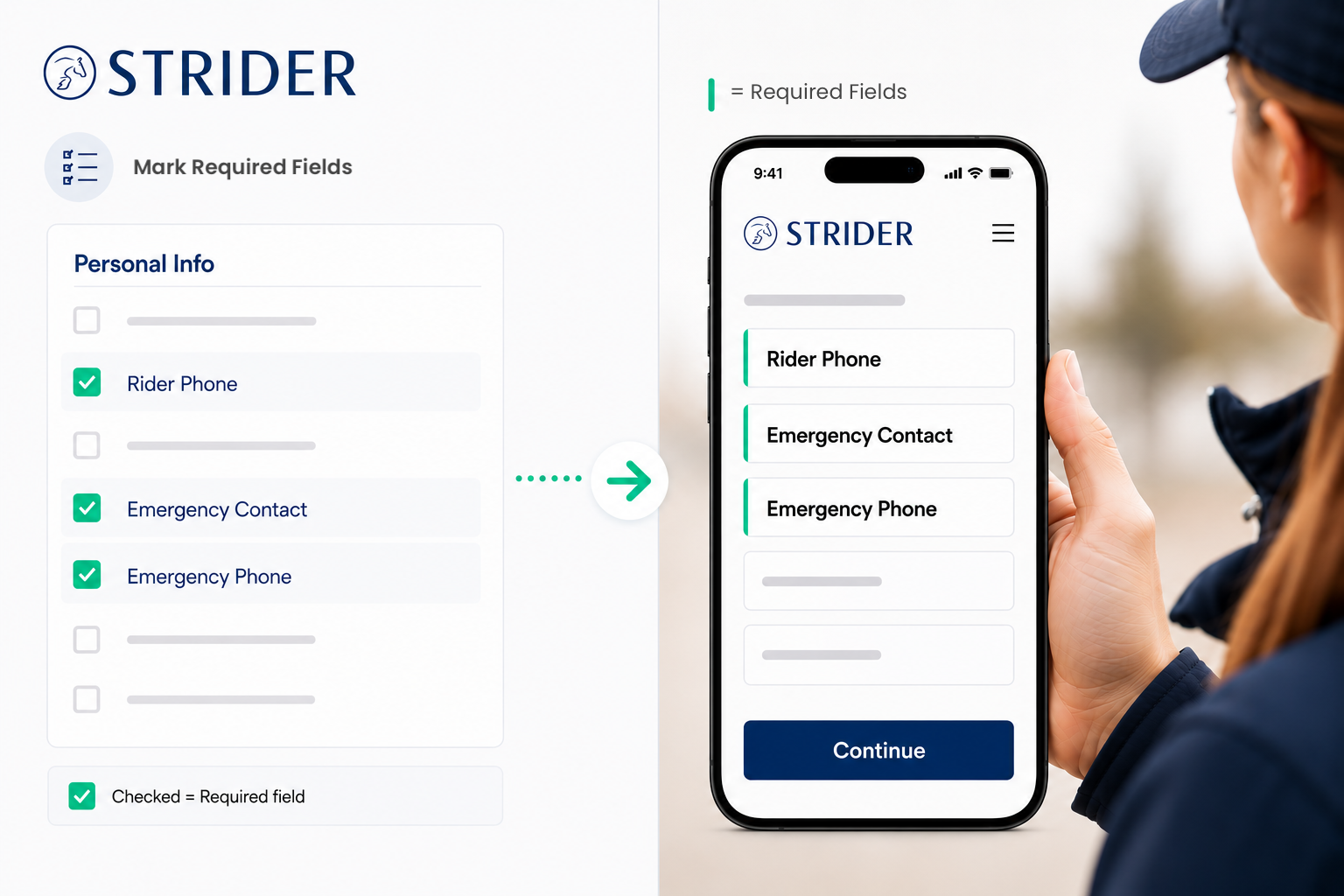
Our StriderGold functionality enables you to require riders to fill out certain fields before they submit their entry.
This is a GREAT way for you to collect the information you need upfront and reduce follow-up questions later.
How to Make a Field Mandatory
Go to your Organizer Corner and select Edit Activity.
Navigate to the Set Entry Form,Required Fields section.
Check the box next to any field you want riders to complete.
Example: To require a phone number, check the box next to Rider Phone #.
Click Republish to save and apply your changes.
What Riders Will See
The entry form will auto-open to display required fields
A green indicator line will show riders which fields are mandatory.
Riders will not be able to complete entry until all required fields are filled in.
Tips for Organizers
We recommend making only the most important fields mandatory to keep entry quick and user-friendly. The more fields you require, the more you deter entries.
Common required fields include:
Rider Phone Number
Emergency Contact Information
Date of Birth
Once enabled, the system will automatically require data in those fields when the rider enters. That’s it!
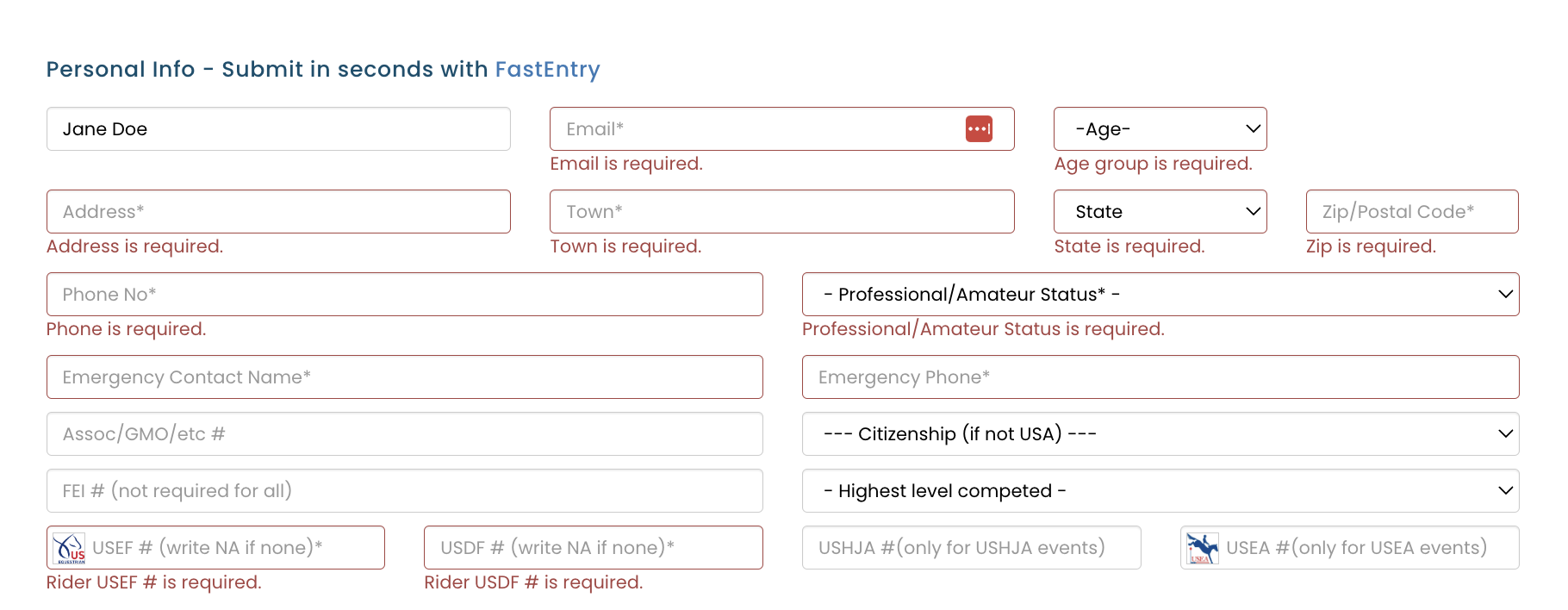
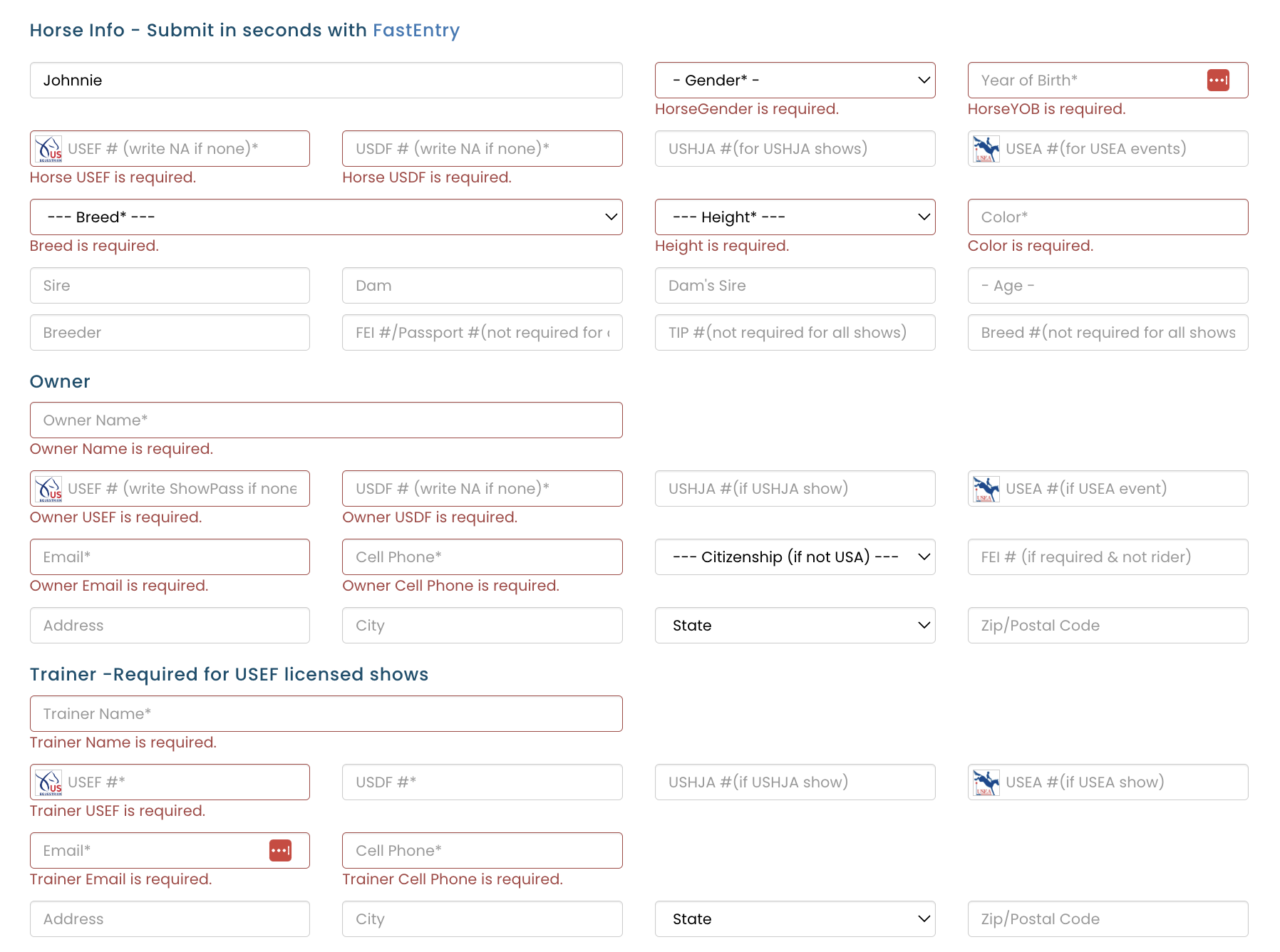
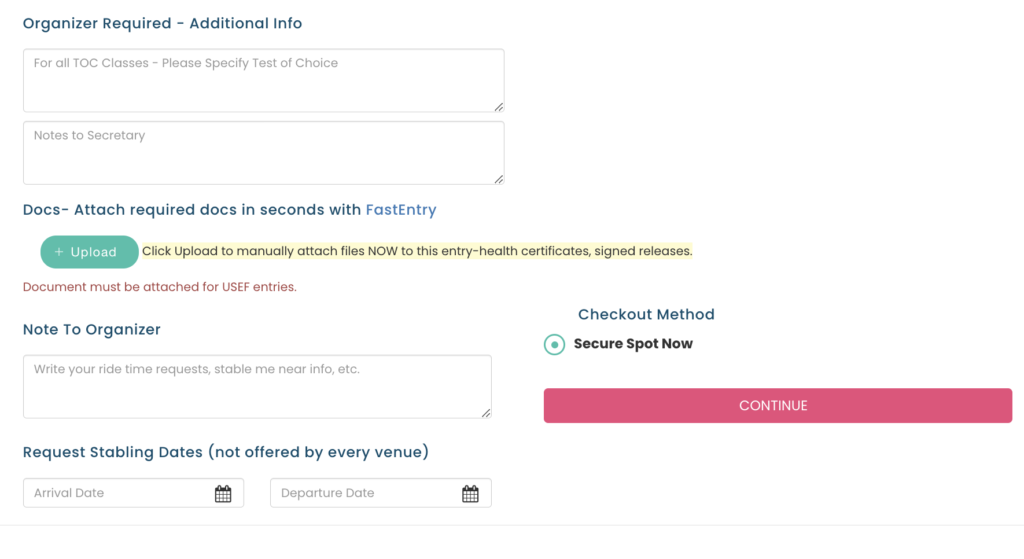
Mandatory Fields for USEF SHOWS
The fields outlined in red below are automatically “Mandatory” for USEF shows. They are not mandatory for schooling shows.
STRIDER has implemented this effort to help keep our valuable show organizers sane, and to ensure compliance with governing body requirements.
***Need Something Else? *** If you are a USEF show organizer who needs additional entry functionality, send us a note here!