Once you’re approved to receive funds via StriderPay, your account can be linked to different associations. You must give them the primary email address on your PayPal account.
They can add you by using the “send an invite” feature.
You don’t need to accept the invite again because you’re already approved. Your StriderPay account will be automatically linked to the new association.
Here’s how it works:
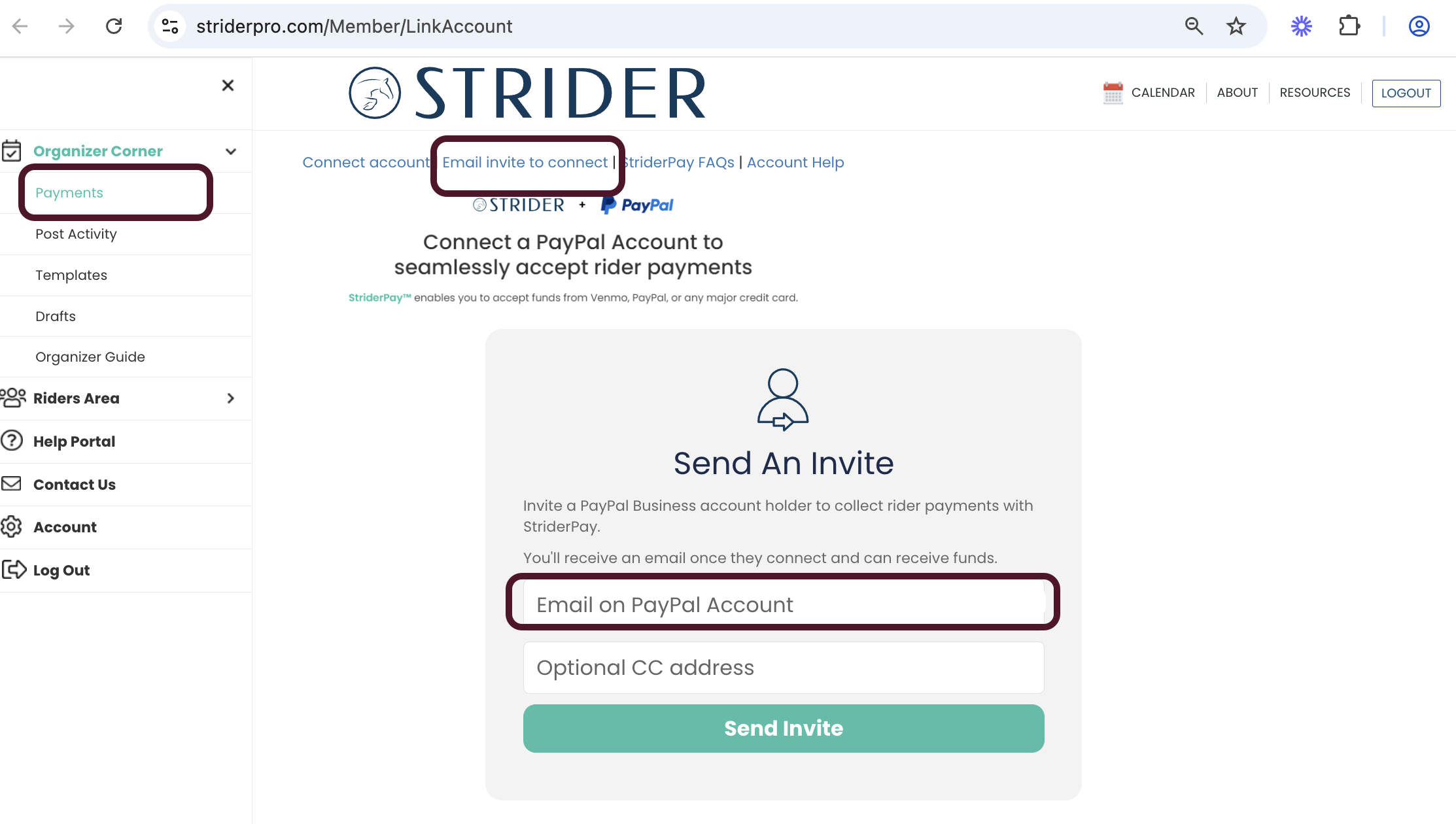
Log In to StriderPay and Go to the “Payments” Tab: Once logged in, go to the “Payments” section from your dashboard.
Send an Invite: In the Payments section, they’ll choose the option to send an invite and enter the PayPal address you gave them.
Automatic Link: Since your account is already approved, it will automatically be linked to the new association without needing any extra steps or approval from you.
That’s it! Your StriderPay account will now be ready to receive payments for the new association.