How To Get Paid On STRIDER For A Entry Change or Class/Add Drop
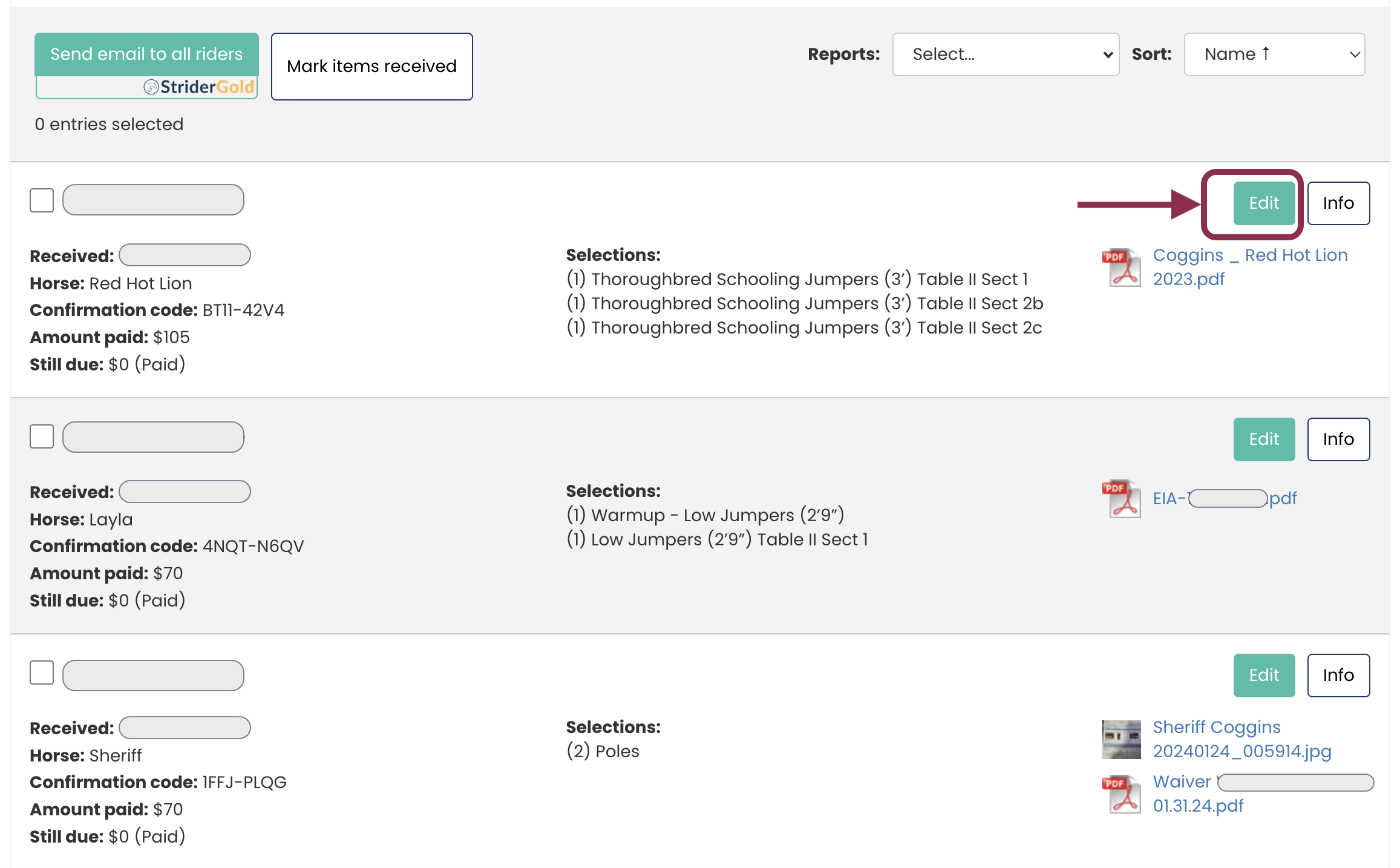
Click the <EDIT> button next to the right of the entry you want to modify
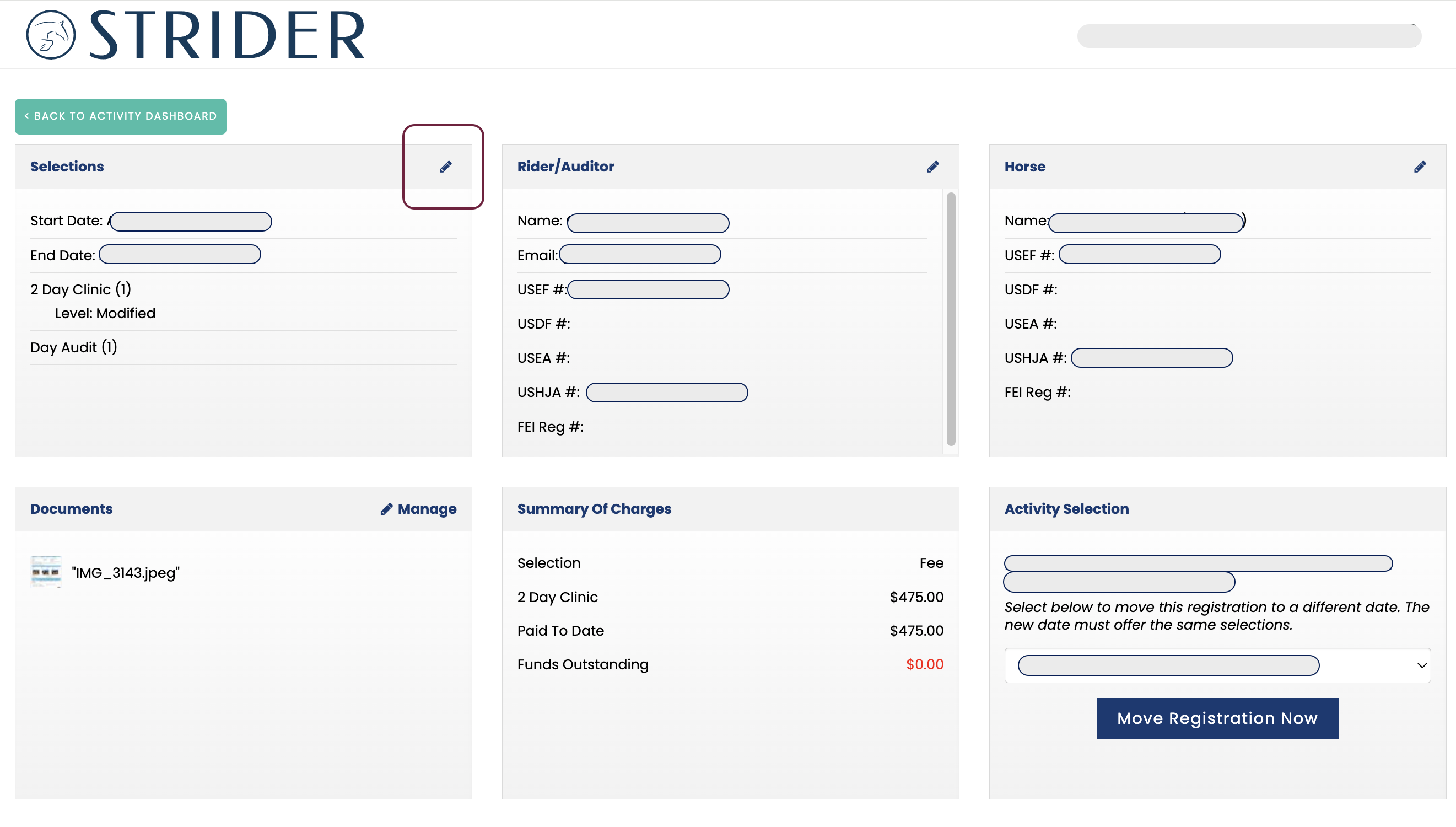
2. Click the <EDIT> icon in the tile you want to update.
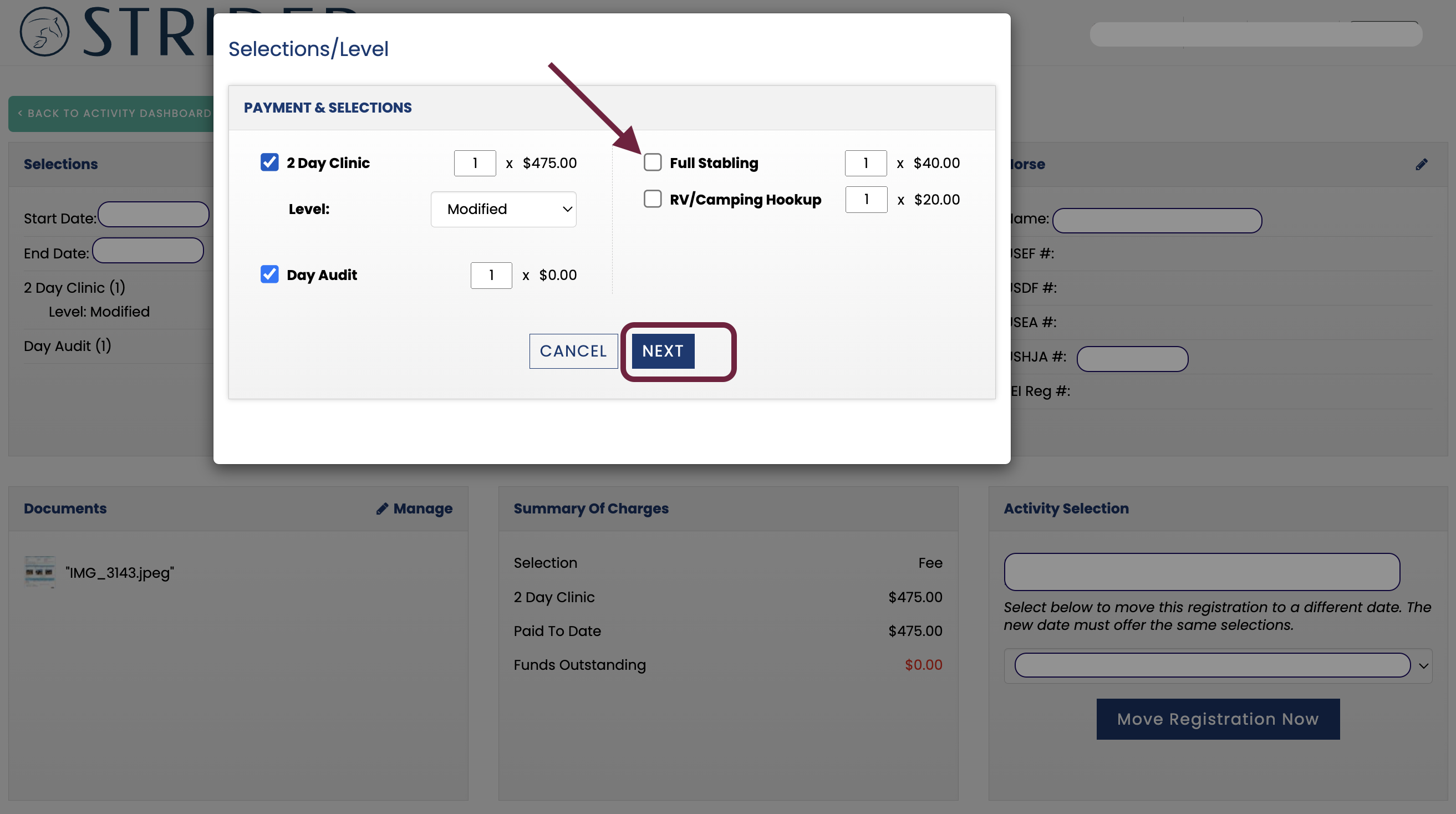
3. Add/Remove Selections & Fees, then click <NEXT>
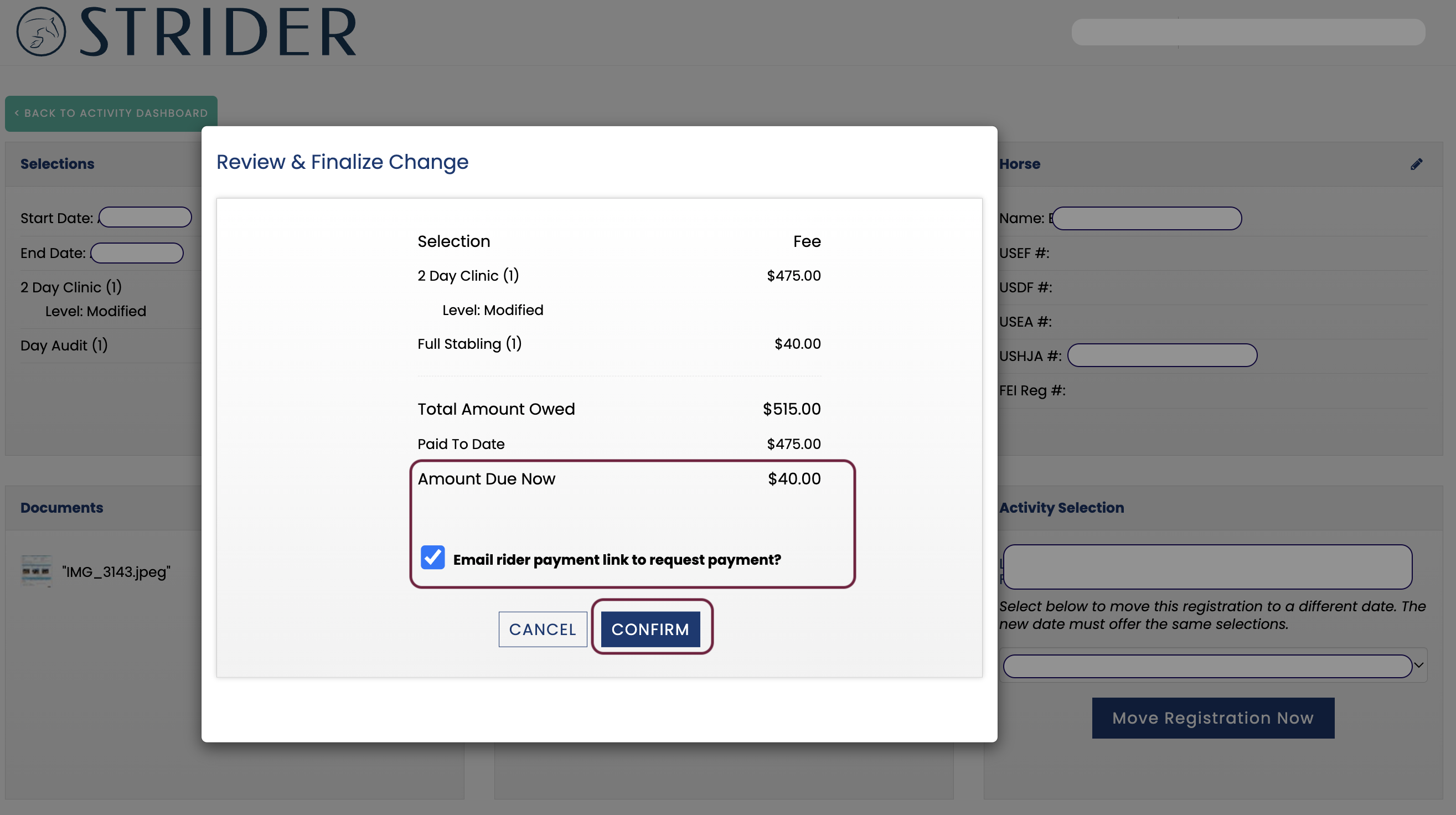
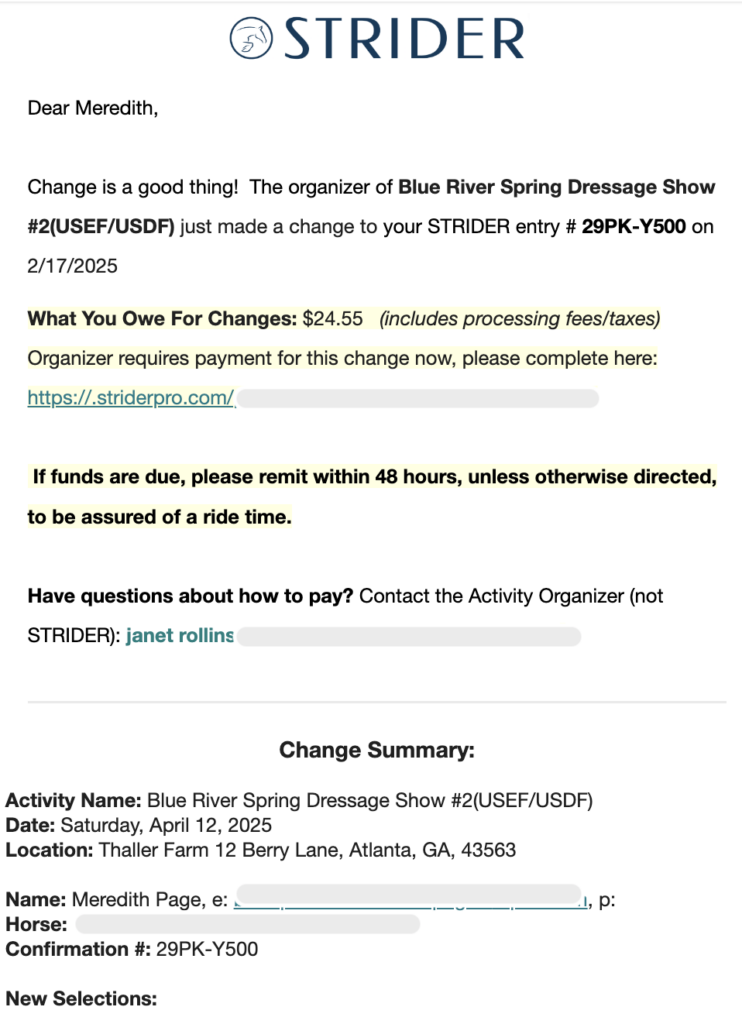
If the rider owes you money and you want to collect through STRIDER, keep the “Email Rider” box checked. If you are going to waive payment, unclick it.
Click Confirm, and all parties will receive email confirmation of the change!
See Sample Email to the right:
The email to the rider will include a payment link, if you opted for that.