Easy Ways To Move A Rider Off The Waitlist Into The Show
The STRIDER waitlist feature is designed to conveniently collect the names of interested riders for you, without the hassle of holding rider funds in limbo.
Thats because more often than not, Organizers have found that riders on the waitlist often make other plans after adding their name and decide not to move forward. We know it can be a real pain for you to issue refunds to riders who aren’t accepted into the show!
STRIDER has two great options to confirm interest and admit someone off the waitlist:
Buy a Spot from Another Rider: If a spot becomes available, a waitlisted rider can purchase it from someone who no longer wishes to attend. In this case, you can simply change the rider/horse name on the entry from inside your Organizer Corner. This method tends to work best for clinics.
Invite Code for the Event: Alternatively, you can set an invite code for the event and reopen the activity to the waitlisted riders. This method is often best for shows, as it allows you to control who receives the invite and gives ALL waitlisted riders who are still interested a fair chance to secure a spot.
PRO TIP: Make sure that the event inventory supports any additional invites you send out!
Set an Invite Code – Here’s How!
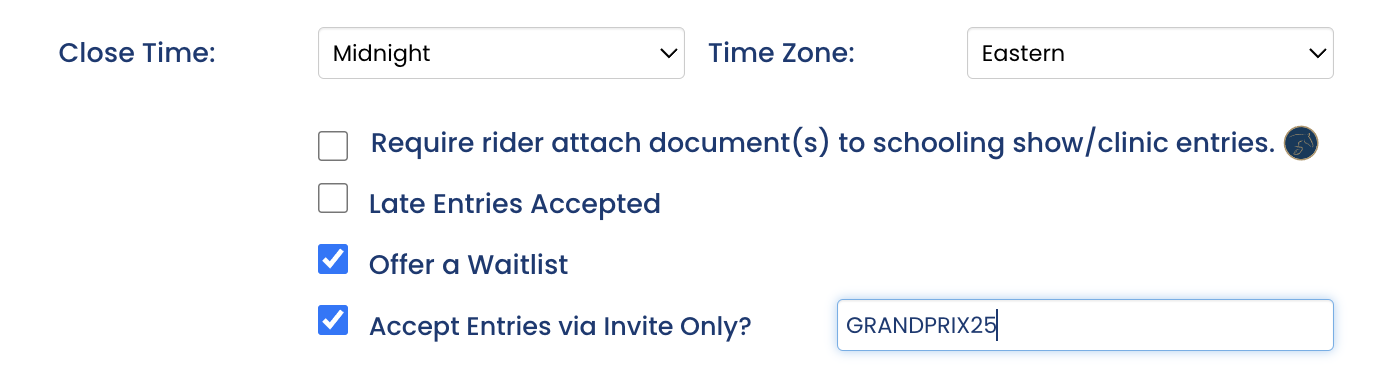
Edit the Posted Activity: First, from inside your Organizer Corner you’ll need to edit the posted activity to create an invite code. Scroll down to just under where you set the closing date, you’ll find it there.
Set the Invite Code: In the event settings, set an invite code that will be used for access.
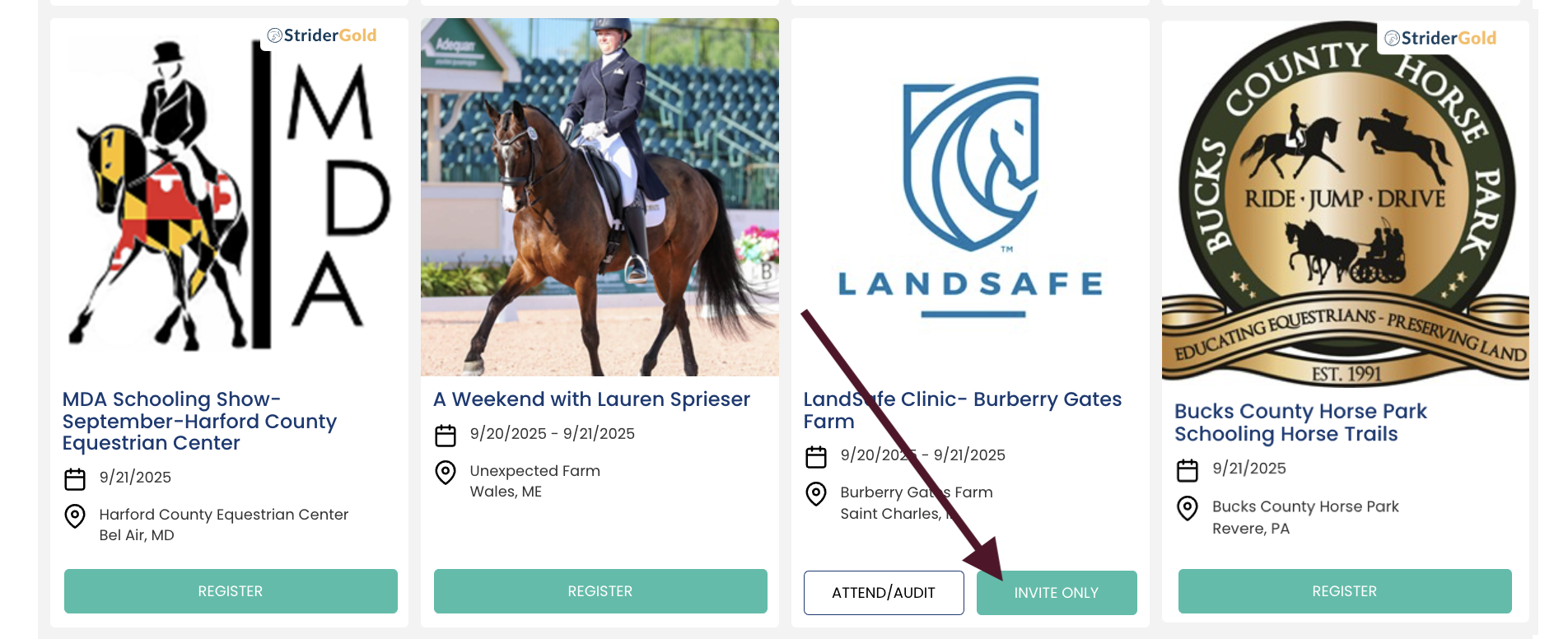
Republish the Activity: Republish the activity to make the invite code active. You’ll see “Invite Only” appear on the Register button.
Send Out the Link: Email the link and the invite code to the waitlisted riders. They will enter and pay you directly, just like the others.